How to Stop Losing Money on Expired Return Deadlines
Missed return windows cost consumers hundreds of dollars each year. Here is a calm, screenshot-driven system to track return cutoff dates and ensure refunds arrive.
Read article →

The calm return tracker for online and in-store shopping. Save purchase deadlines in 5 seconds, attach receipt photos or order screenshots, and receive quiet, reliable reminders before return windows close.

Open in the App Store
E-commerce makes buying effortless with 1-click checkout. Returning items is where hundreds of dollars slip away quietly.
Every feature exists to eliminate friction, protect your time, and solve the task cleanly.
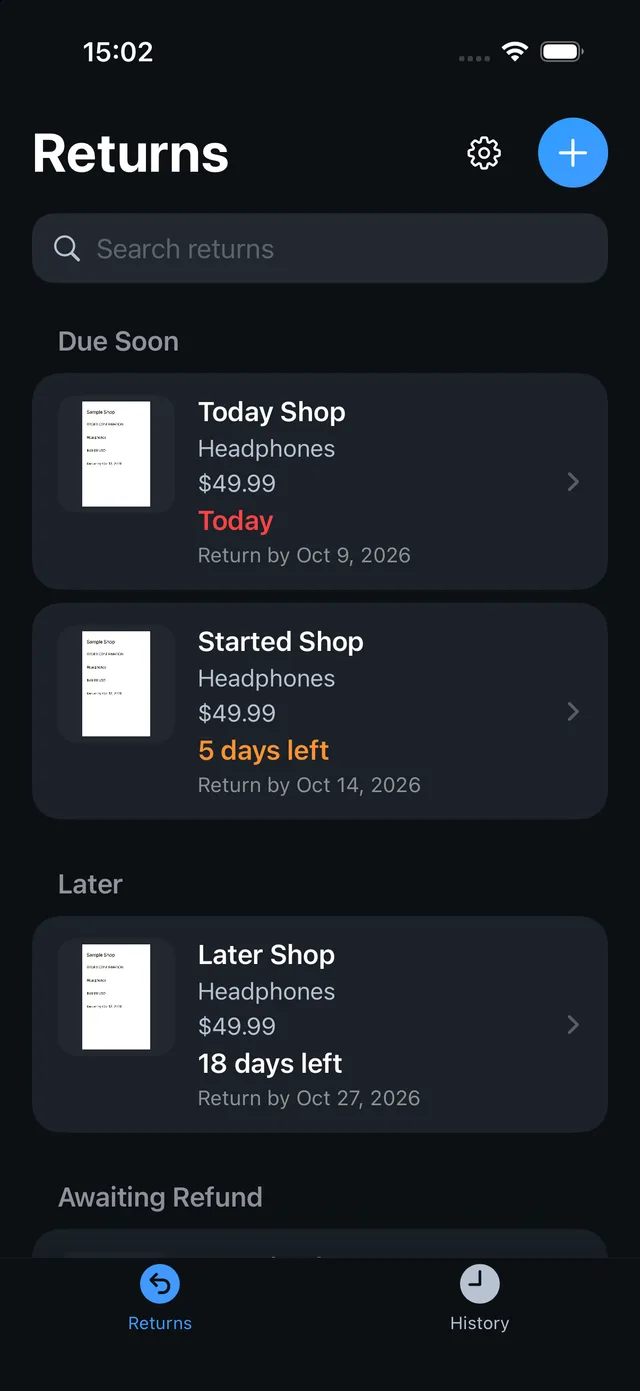
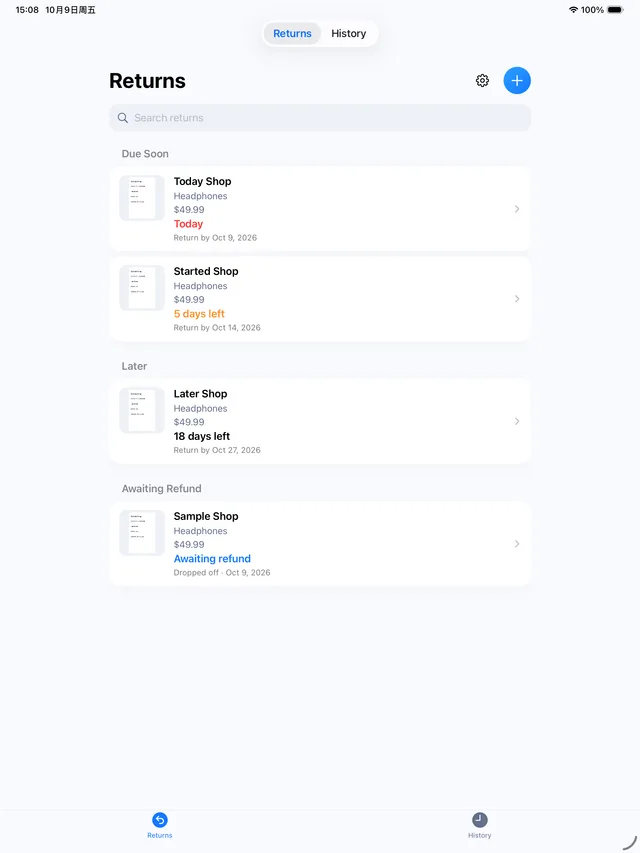
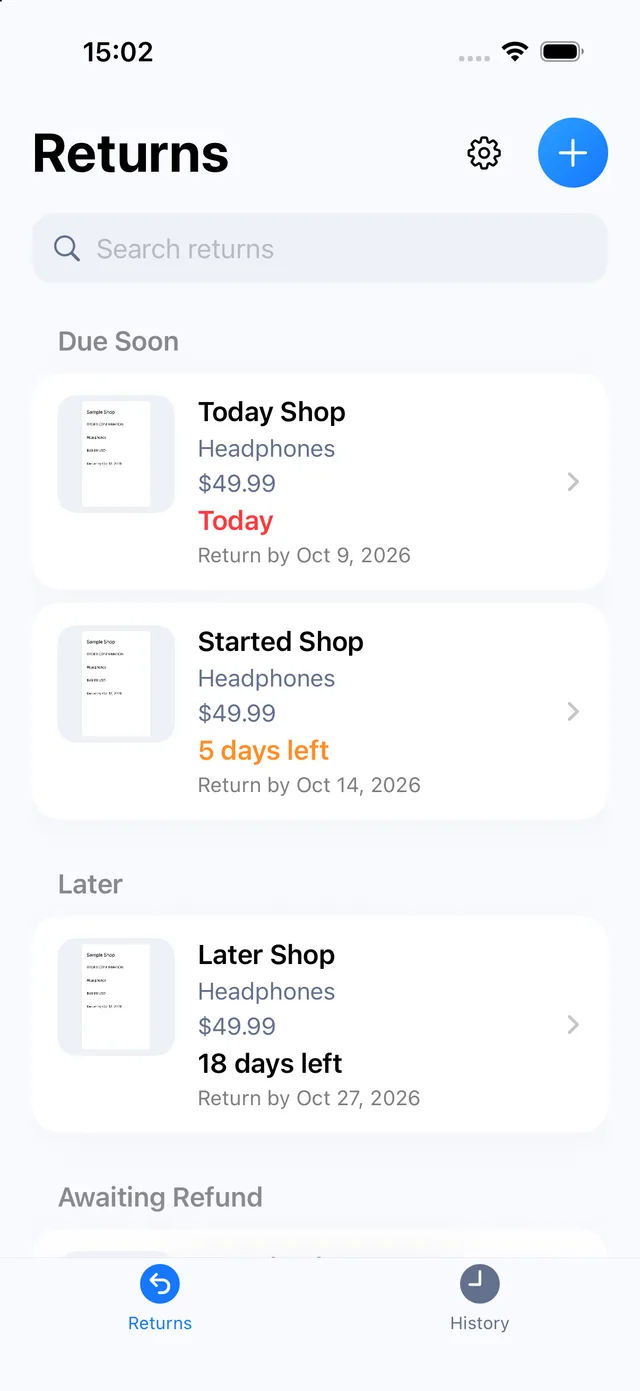
ReturnBell organizes your purchases into a visual timeline. Items due this week are highlighted in warm amber, while comfortable deadlines stay quietly below. You always know what needs action without opening a spreadsheet.
Dropping a package at the post office is only half the battle. ReturnBell keeps track of items currently in transit and flags pending refunds until the money is confirmed back in your bank account.
No more searching through crumpled glovebox slips or scrolling through thousands of photos in Apple Photos. Keep high-res photos of paper receipts, order numbers, and postal drop-off slips attached directly to the purchase.
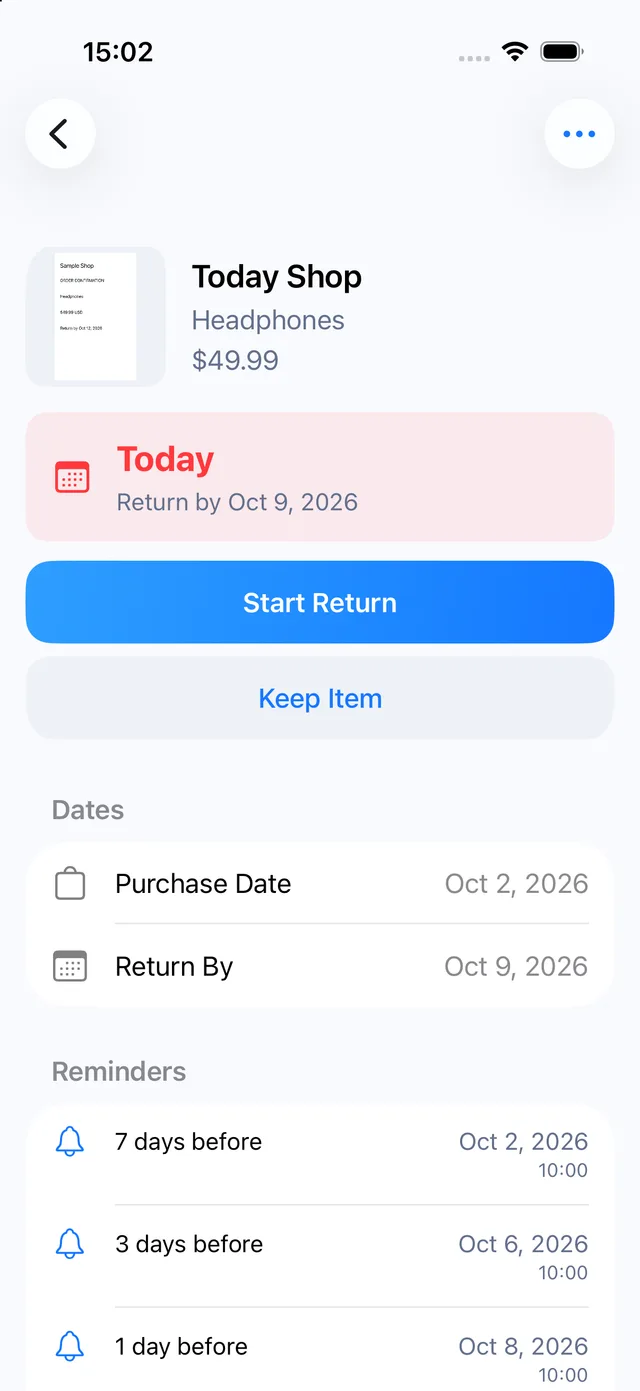
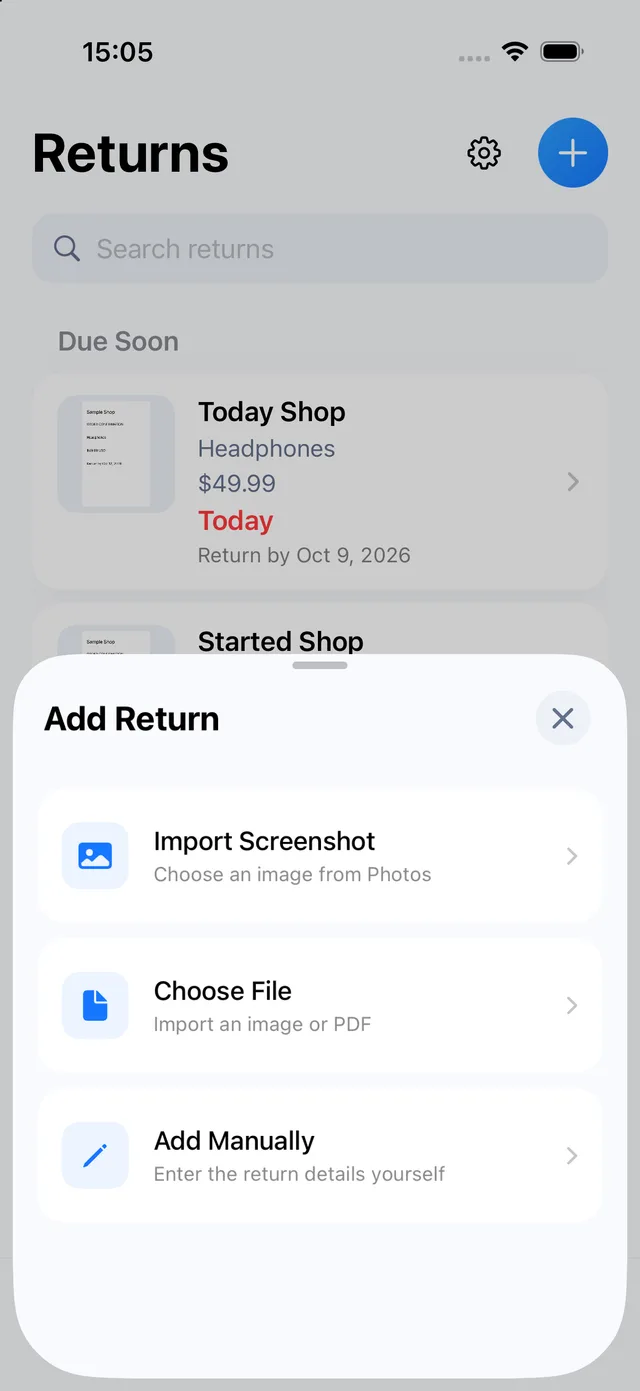
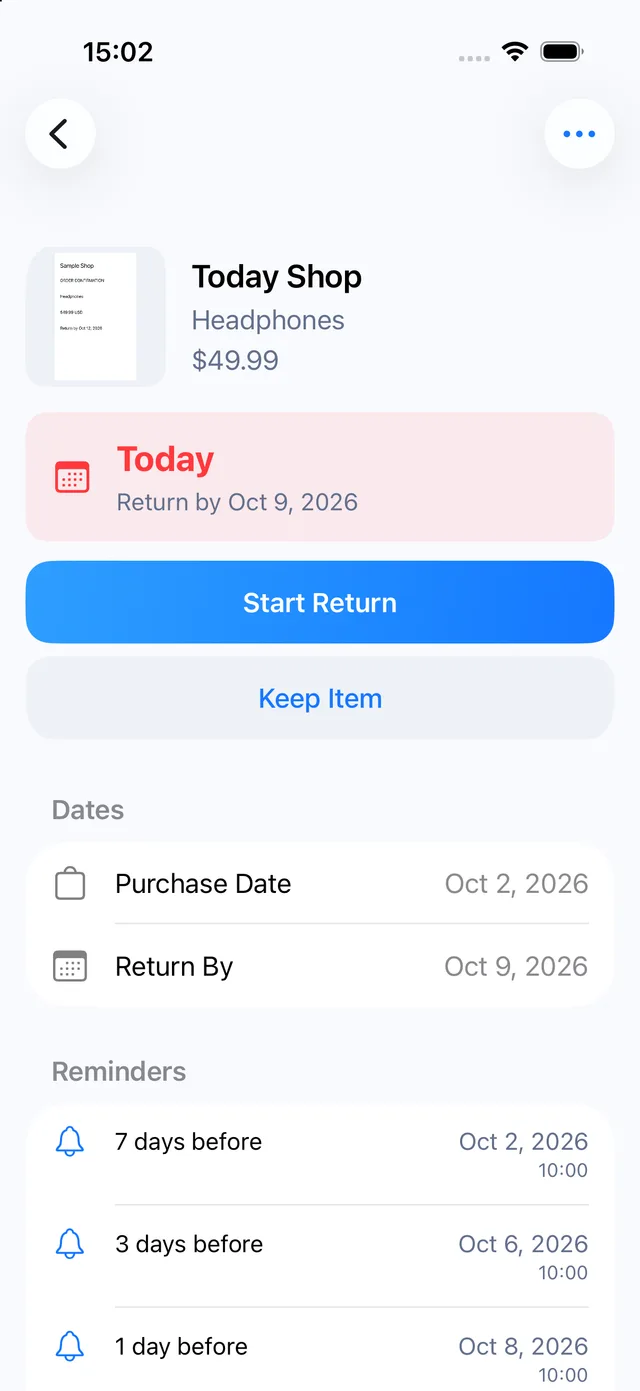
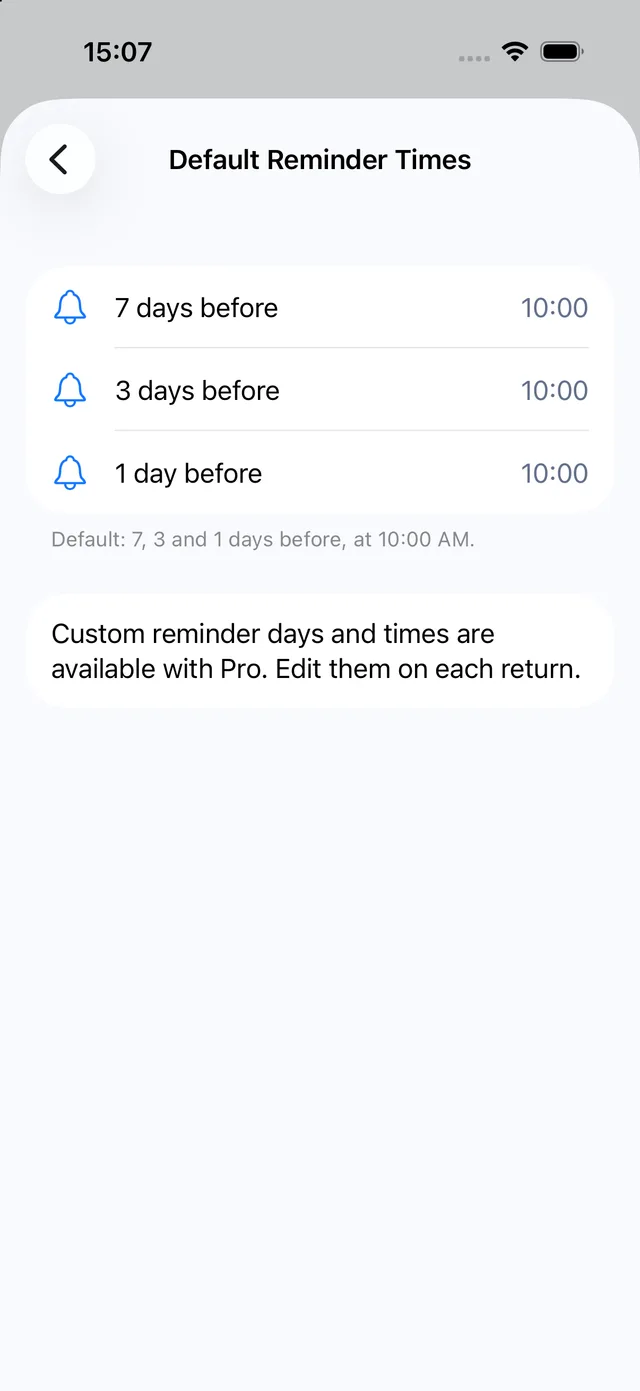
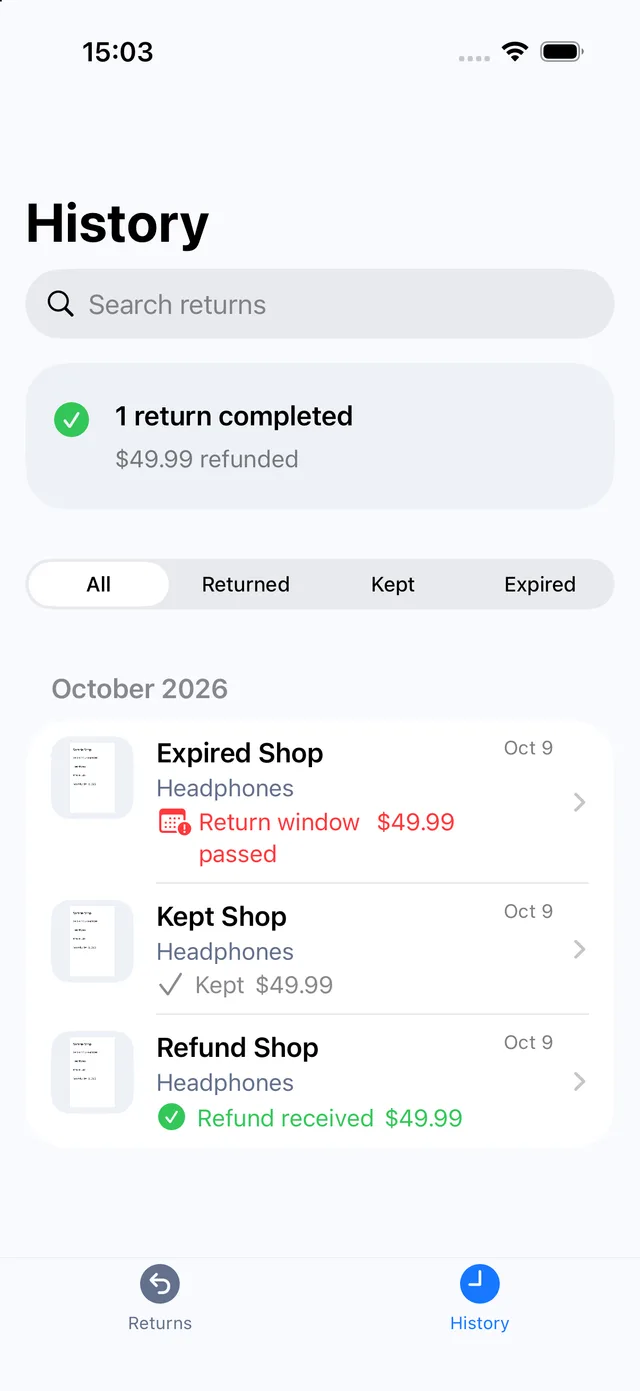
Explore the actual interface designed for iOS and macOS. No mock placeholders—experience genuine screens built for speed and calm clarity.
Clear list of active purchases sorted by closing return dates.
Designed so recording takes seconds, and finding answers takes no cognitive effort.
Take a photo of the receipt, share an order screenshot, or type the store name and price.
Forget about it. ReturnBell quietly nudges you 3 days and 1 day before the deadline closes.
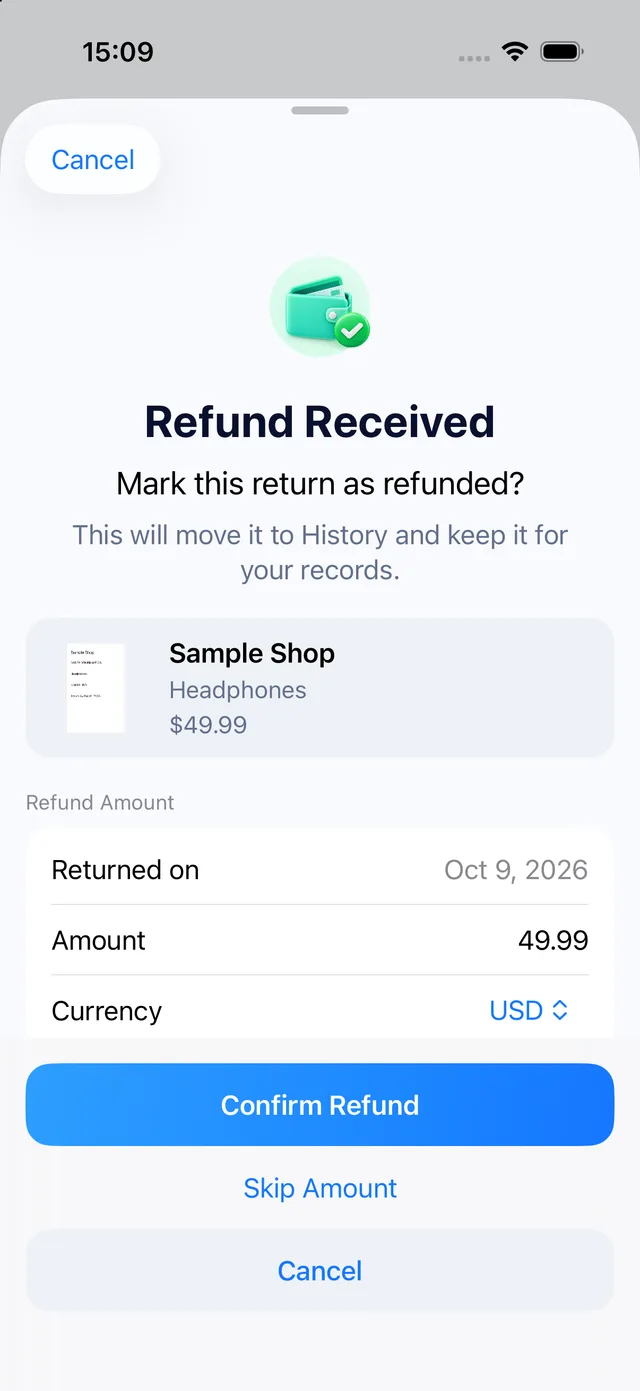
Ship or drop off the box, track Awaiting Refund, and confirm your refund when money arrives.
No venture-backed bloat. Just fast, private, native software engineered with deep respect for your attention.
We never request access to your Gmail or retail store passwords. 100% on-device private sandbox.
No spammy push notifications. Scheduled on-device alerts delivered exactly when you need them.
Keep your return deadlines synced between iPhone and iPad via Apple CloudKit with zero developer servers.
Pure OLED dark mode designed for comfortable reading at night.
Celebrate every saved dollar with a running total of refunds successfully credited.
Single Pro subscription or Lifetime unlock covers all family members across devices.
Detailed guide to everyday workflows, privacy design, and pro features.
Shopping online has never been easier, but return policies have never been stricter. Here is how ReturnBell protects your bank account across common retail traps:
Ordering shoes or jeans in two sizes to see which one fits is standard practice today. But leaving the second pair in its plastic polymailer by the front door is how retailers pocket $90 of your money:
You buy a new monitor, microphone, or gaming accessory. It works, but has a subtle bug or doesn’t fit your desk. Electronics retailers often have strict 14-day windows with zero exceptions:
Home improvement stores, supermarkets, and boutique outlets print receipts on fragile thermal paper that fades or gets lost in car cup holders:
Dropping off a box at UPS or FedEx is not the end of the return. Retailers regularly take 10 to 21 business days to process refunds, and system errors happen all the time:
Standard Apple Reminders and Google Calendar are built for tasks like “Call dentist”, not shopping returns:
Many retail tracking tools ask for full access to your Gmail, Yahoo, or Outlook inboxes to “automatically detect packages”. In reality, they scan your financial records and sell shopping data to marketing networks.
ReturnBell does things differently:
Tips, walkthroughs, and release news for ReturnBell.
Free to download and start. Honest pricing with zero hidden fees.
Free download. Track active returns, attach receipt photos or screenshots, and get calm 3-day and 1-day reminders.
Unlock unlimited active returns, custom reminder intervals, and complete return archive. Flexible month-to-month access.
Includes a 3-day free trial for eligible users. Unlimited return tracking, Home Screen widgets, and best annual value (over 70% savings).
One-time purchase for permanent Pro access. Keep forever with Apple Family Sharing. Zero recurring subscriptions.
Calendar events and reminders require tedious typing: store name, price, order screenshot, return policies, and calculating cutoff dates. ReturnBell lets you share an order screenshot directly, auto-suggests the deadline, keeps the receipt proof attached, and tracks return status from 'Due Soon' to 'Refund Received'.
ReturnBell is completely free to download with full core return tracking. You can upgrade to Pro via Monthly ($2.99/mo), Annual ($9.99/yr), or Lifetime ($19.99 one-time). The 3-day free trial is available exclusively on the Annual subscription plan for eligible users. The Monthly plan and Lifetime purchase do not include a trial period.
Never. ReturnBell operates local-first on your iPhone without requesting access to your email inbox, banking apps, or retailer passwords. You remain completely in control of what you record. Pro users can optionally sync via their personal, private Apple iCloud container (CloudKit).
The lifecycle is simple: Active (Due Soon / Later) → Return Started (dropped off or shipped) → Refund Received (confirm refund amount and close out). You can also mark an item as 'Kept' if you decide to keep it.
By default, ReturnBell delivers calm notifications 3 days before and 1 day before the deadline, giving you enough time to box up the package and drop it off at UPS, FedEx, or the post office.
Yes! Once you drop off a package, the item moves into 'Awaiting Refund'. Once the store credits your card, tap 'Refund Received' to log the refund.

Free download with core features. Test the full Pro experience with an optional 3-day trial on the Annual plan, or unlock permanently with Lifetime.
Open in the App Store
Explore other single-purpose utilities created by dofun.app.
Explain food allergies clearly when dining out or traveling abroad.
Find anything in any box without opening it. Visual storage box organizer with photos, descriptions, and instant QR scanning.
Compare unit prices and find the better deal before you buy.