
How to Organize Receipts for Client Reimbursement
Group work receipts by trip or project, check their totals, and deliver a PDF or CSV expense report with the original receipts. Includes a sample expense log.
Read article →

Scan receipts on iPhone or iPad, then check quantities, tax, tip, and totals against the original. Find saved receipts by merchant, folder, or tag. Pro combines receipts into a PDF or CSV expense report.

Open in the App Store
Open in the App Store
Whether filing corporate expense reports or splitting a complex team dinner, manual receipt entry is tedious and error-prone.
Every feature exists to eliminate friction, protect your time, and solve the task cleanly.
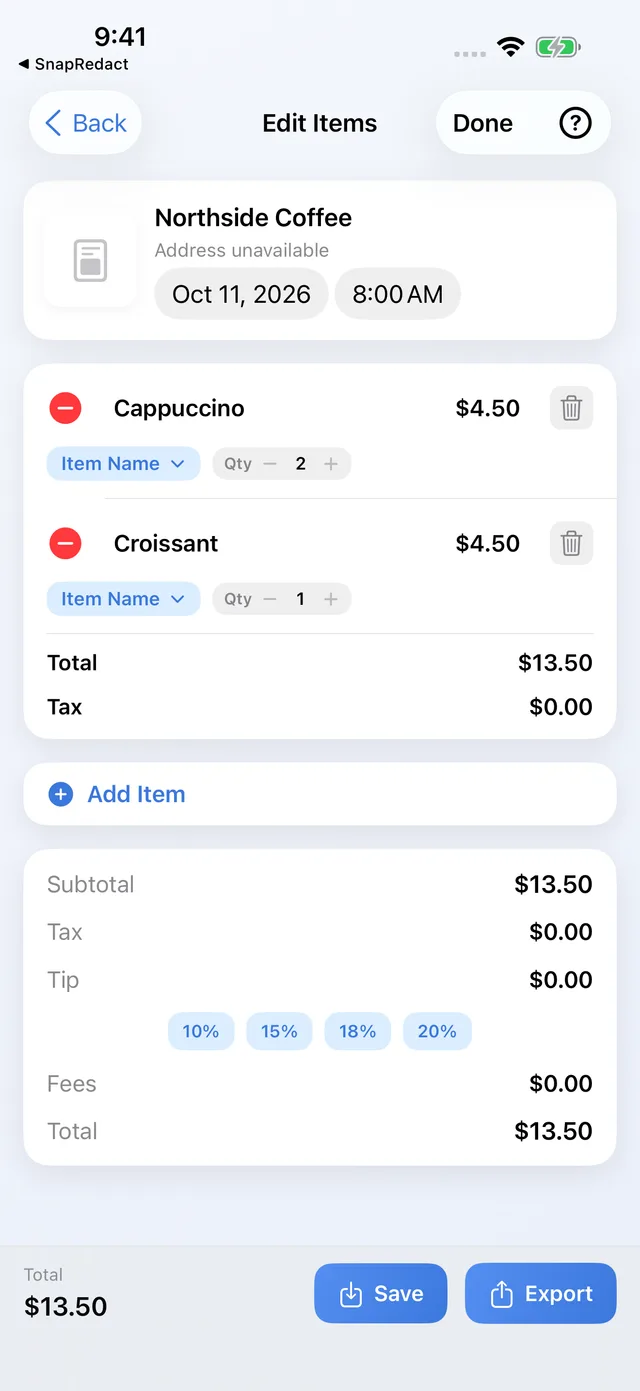
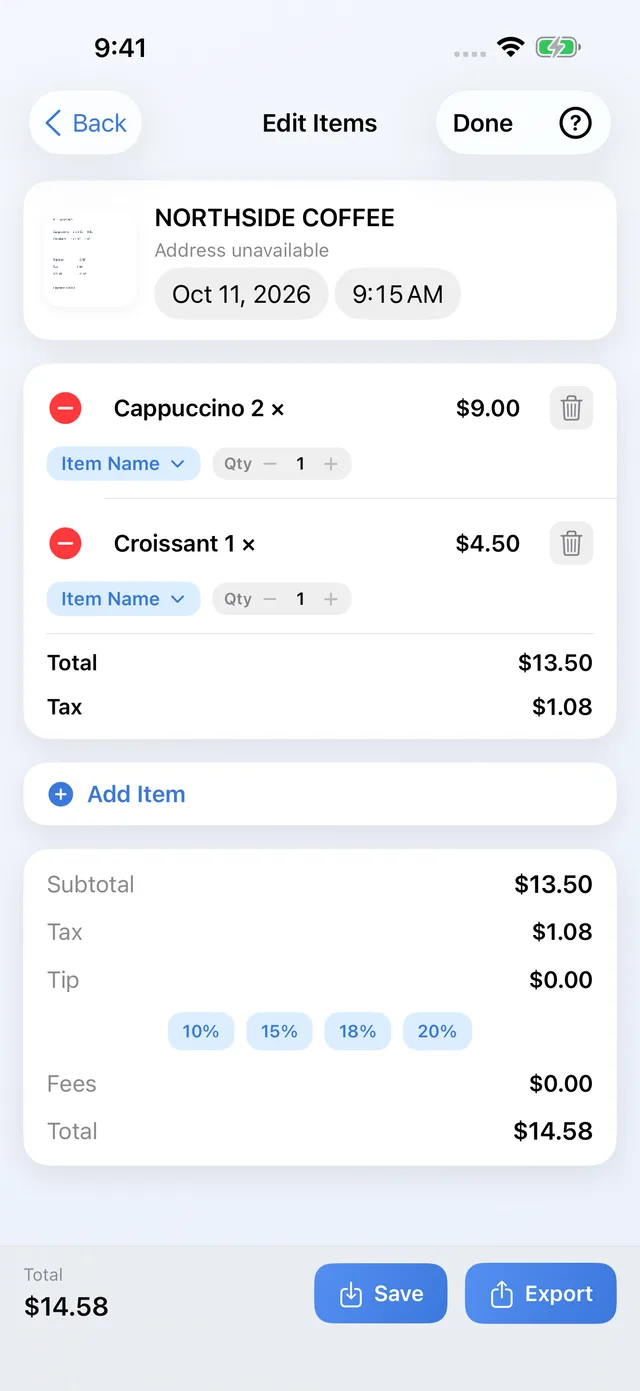
Itemized Receipt uses Apple's on-device text recognition to read item descriptions, quantities, and prices. Review the scan alongside the original when print is faint or the receipt is folded.
Splitting meals shouldn't require complex mental algebra. Assign items to individuals with a tap, and ItemizeReceipt distributes taxes, discounts, and tips proportionally according to each person's exact subtotal.
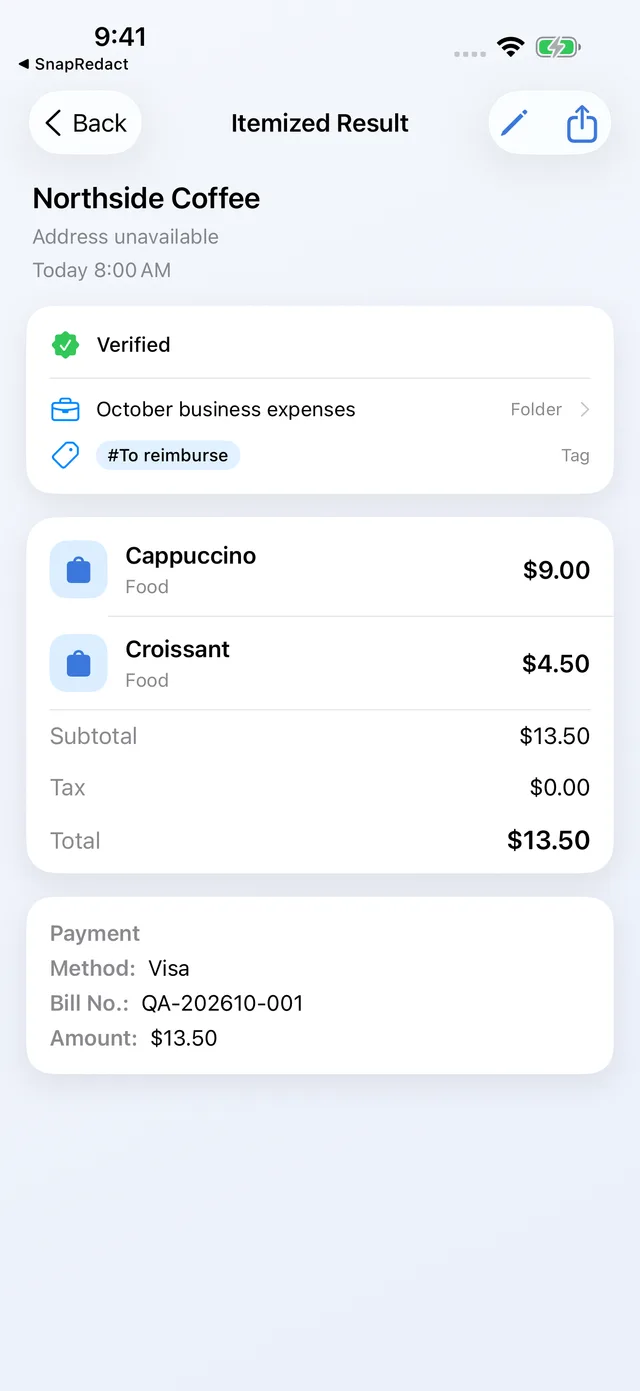
Group receipts for a client or trip and export a PDF or CSV report. You can include the original receipt images for review.
Explore the actual interface designed for iOS and macOS. No mock placeholders—experience genuine screens built for speed and calm clarity.
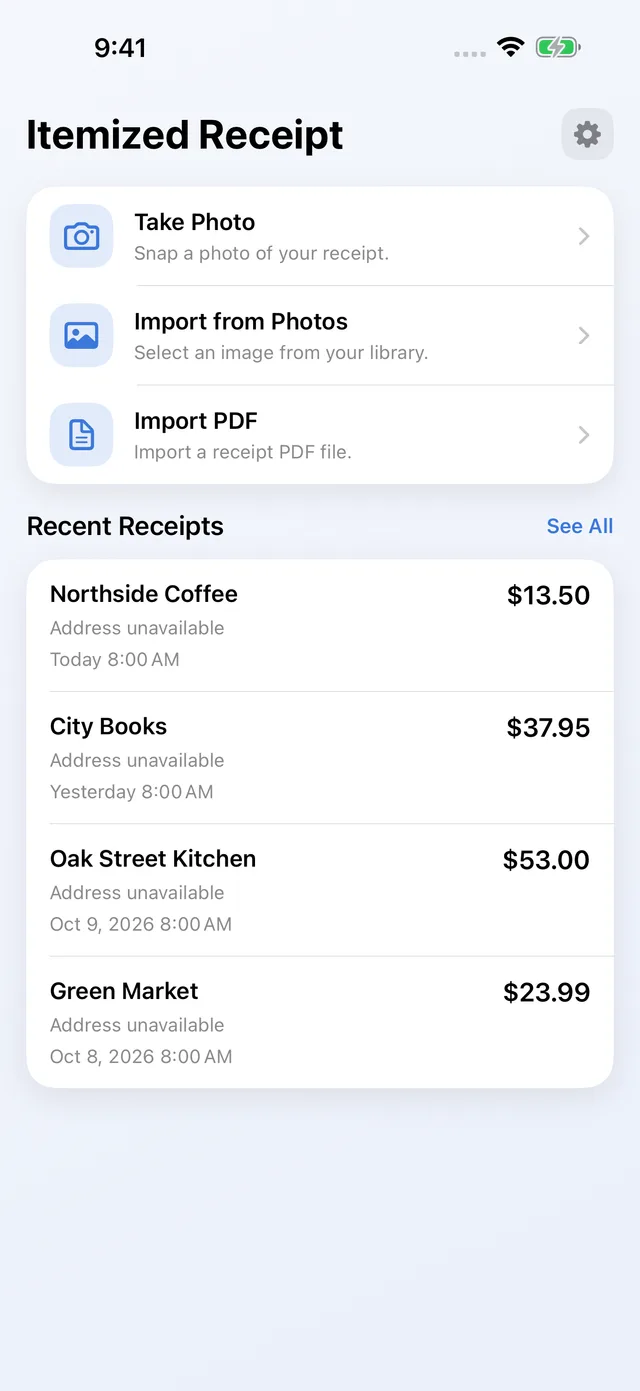
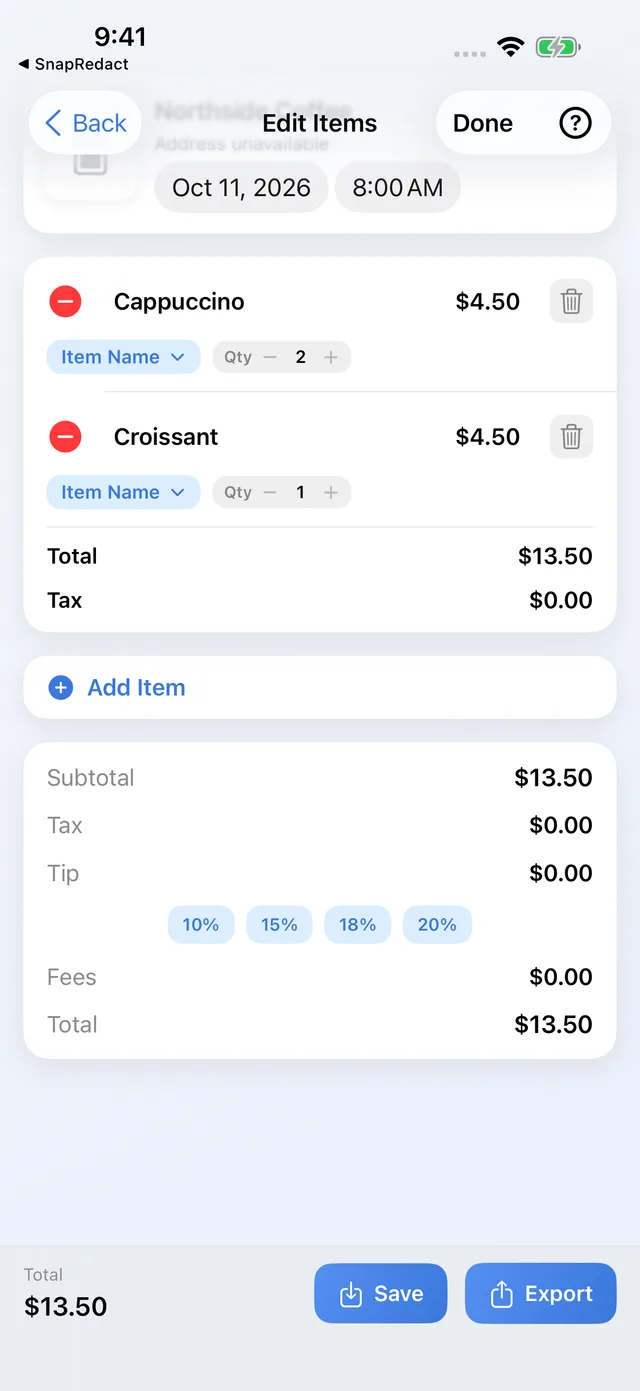
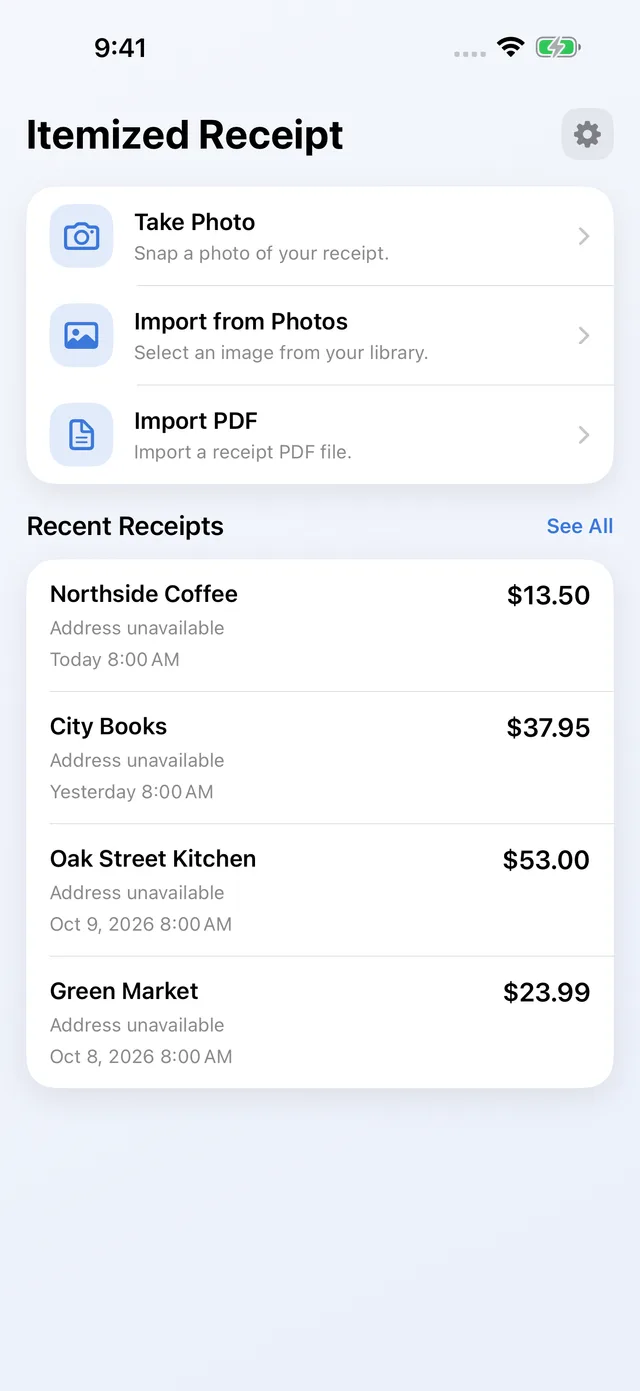
Import images or PDFs, check line items, and organize saved receipts with folders and tags.
Designed so recording takes seconds, and finding answers takes no cognitive effort.
Capture paper slips or import digital screenshots from your photo library.
Items are extracted in seconds. Tap to assign items to colleagues or personal categories.
Share itemized totals in chat or export a clean PDF/CSV report for payroll reimbursement.
No venture-backed bloat. Just fast, private, native software engineered with deep respect for your attention.
Text recognition runs locally. Saved receipts can sync through Apple CloudKit; dofun does not operate a receipt server.
Export clean CSV spreadsheets for Excel or formatted PDF vouchers with receipt images attached.
Taxes and service tips are allocated proportionately to each diner, not divided equally.
Scan receipts on international flights or remote business trips with zero cell connectivity.
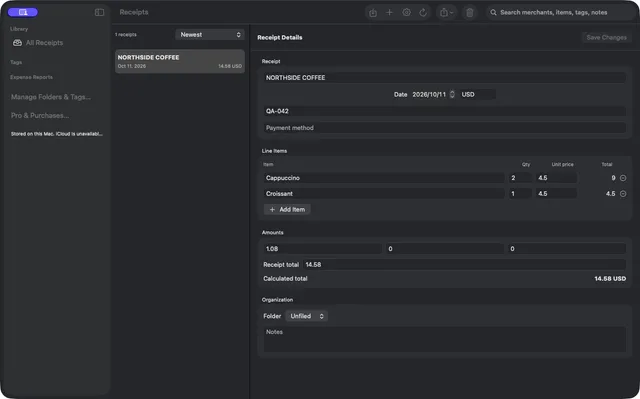
Comfortable high-contrast dark theme for late-night expense accounting.
No logins, passwords, or emails required. Open the app and itemize immediately.
Detailed guide to everyday workflows, privacy design, and pro features.
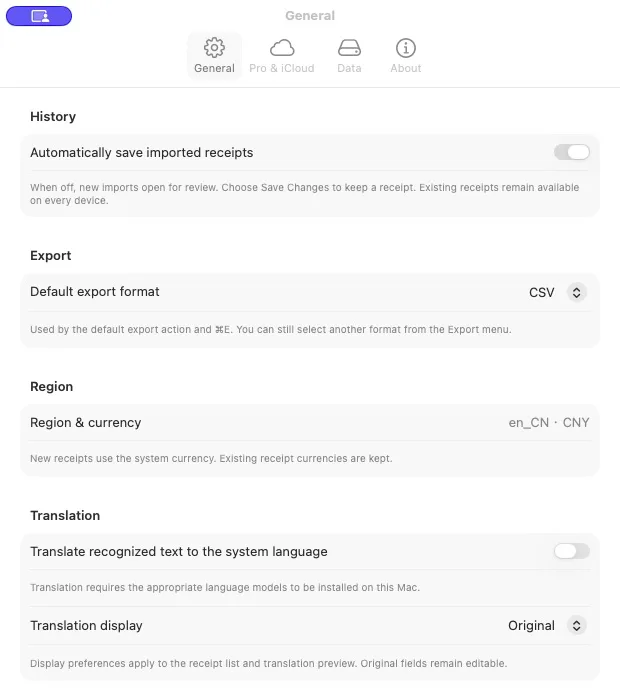
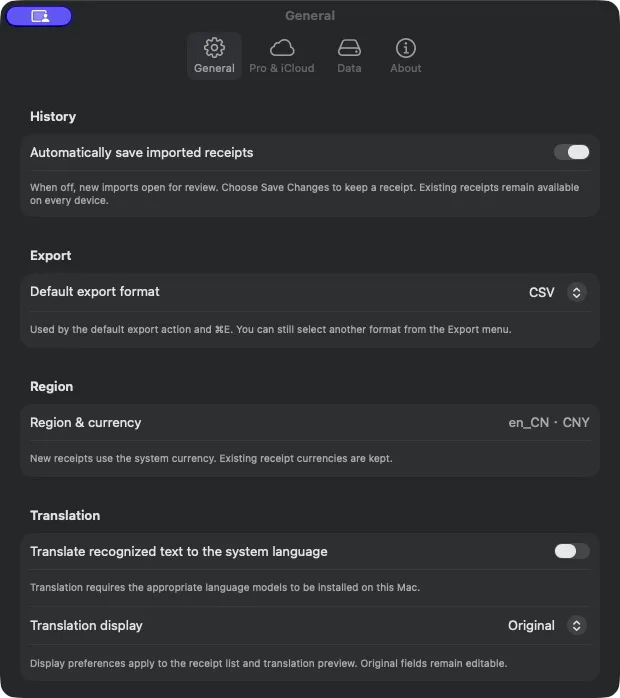
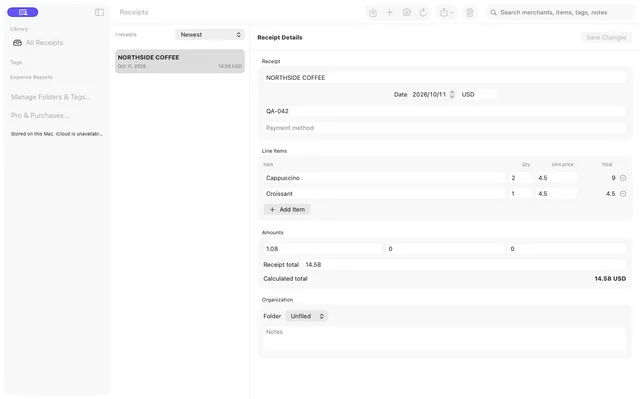
Capture a receipt on your iPhone, then sit down at your Mac to check the details and prepare an expense report. Saved receipts can sync through the same Apple iCloud account when iCloud is available. You can also import receipt images and PDFs directly on your Mac.
The desktop layout puts folders and tags in the sidebar, receipts in the middle, and editable details alongside them. Check the merchant, date, quantities, prices, and tax against the original before saving. Export CSV for a spreadsheet, PDF for a report, or text for a quick handoff.
OCR and calculations run locally. iCloud sync uses your private Apple CloudKit account; it does not require a separate dofun account. Read the Mac release announcement for the desktop workflow.
Splitting a 6-person dinner with shared appetizers, individual entrees, drinks, sales tax, and a 20% gratuity usually ends in awkward math or someone overpaying:
When working on client projects where materials or travel costs are billed back:
Flexible Spending Accounts (FSA) and Health Savings Accounts (HSA) frequently require itemized receipts proving eligible medical expenses:
Traditional receipt scanner apps require uploading your private financial photos to cloud servers, introducing latency, privacy risks, and monthly server subscription fees.
Why ItemizeReceipt’s local-first architecture is better:
Standard bill-splitting apps make the mistake of dividing tax and tip equally across the group. If Alice ordered a $12 salad and Bob ordered an $80 ribeye and vintage wine, dividing a 20% tip equally forces Alice to subsidize Bob’s meal.
The ItemizeReceipt Algorithm:
No proprietary lock-in. Your data is always ready for whatever tools you and your finance department use:
Tips, walkthroughs, and release news for Itemized Receipt.
Group work receipts by trip or project, check their totals, and deliver a PDF or CSV expense report with the original receipts. Includes a sample expense log.
Read article →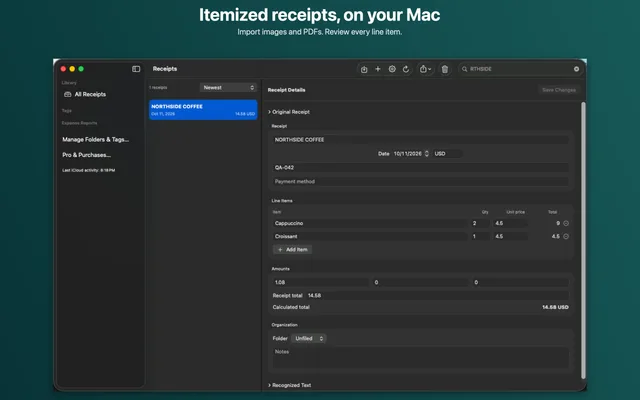
Itemized Receipt comes to macOS with image and PDF import, editable receipt details, private iCloud sync, and CSV, PDF, or text export.
Read article →Stop manually re-typing line items for company expense reports and tax deductions. Here is how on-device optical character recognition turns physical receipts into clean CSV files.
Read article →Free to download and start. Honest pricing with zero hidden fees.
Scanning and creating receipts requires Annual or Lifetime. Eligible users can start a 3-day trial when choosing Annual through the App Store. Already saved receipts remain accessible, searchable, and exportable. Check the Mac App Store for terms on Mac.
US price for Annual. The subscription renews automatically unless canceled. Check your trial eligibility and renewal date in the App Store purchase sheet. Pro includes expense reports, batch export, and item-level CSV.
Eligible users can start a 3-day trial by choosing Annual through the App Store. Annual renews automatically unless canceled. If you no longer have Pro, you can still find, organize, and export receipts you already saved. Scanning or creating new receipts, expense reports, batch export, and item-level CSV require Pro.
Yes. The macOS app imports receipt images and PDFs, lets you review and edit line items, organizes receipts with folders and tags, and exports CSV, PDF, or text. Saved receipts can sync between iPhone and Mac through the same Apple iCloud account when iCloud is available.
ItemizeReceipt (listed as Itemized Receipt on the App Store) uses Apple's Vision framework and on-device Neural Engine. Simply snap a photo or import a screenshot: the app recognizes items, quantities, unit prices, subtotal, sales tax, and gratuity in seconds without uploading photos to external servers.
Unlike simple calculators that divide tax and tips equally, ItemizeReceipt calculates each person's exact percentage of the pre-tax food subtotal and allocates tax, service fees, and gratuity proportionally. Diners who ordered a $15 salad aren't penalized for someone else's $60 steak.
Yes. You can export a clean PDF expense voucher with the itemized breakdown and original receipt image attached, or export clean CSV files ready for Microsoft Excel, Apple Numbers, or Google Sheets.
No. All text recognition, calculations, and PDF generation run on your device, including Mac, iPhone, and iPad. iCloud synchronization needs a connection, but local recognition and editing do not. You can itemize receipts on flights, remote business trips, or in restaurant basements with zero cellular data.
OCR runs locally. Saved receipts, images and line items can synchronize through your Apple CloudKit private database when iCloud is available. No separate app account or developer-operated receipt server is required.

Choose Annual or Lifetime to scan and create receipts on iPhone or iPad. Eligible users can start a 3-day trial with Annual, which renews unless canceled. You can still open and export the receipts you already saved after Pro ends.
Open in the App Store
Open in the App Store
Explore other single-purpose utilities created by dofun.app.

Explain food allergies clearly when dining out or traveling abroad.

Find anything in any box without opening it. Visual storage box organizer with photos, descriptions, and instant QR scanning.

Compare unit prices and find the better deal before you buy.